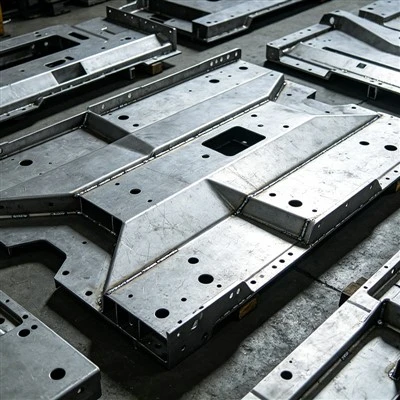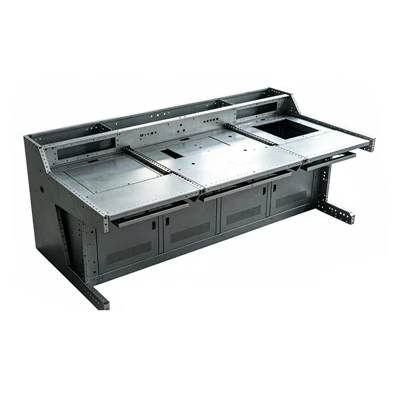

As a supplier of PLC Control Cabinet Enclosures, I understand the critical role that internal cable routing plays in ensuring the optimal performance, reliability, and safety of these enclosures. Proper cable routing not only enhances the functionality of the PLC system but also simplifies maintenance and troubleshooting processes. In this blog post, I will delve into the essential internal cable routing rules for a PLC control cabinet enclosure, providing valuable insights for both professionals and enthusiasts in the field.
1. Plan the Cable Routing in Advance
Before starting the installation process, it is crucial to develop a detailed cable routing plan. This plan should take into account the layout of the components within the cabinet, the length and type of cables required, and the potential sources of interference. By planning ahead, you can minimize the risk of cable congestion, reduce the likelihood of signal interference, and ensure that the cables are routed in a neat and organized manner.
When creating the cable routing plan, consider the following factors:
- Component Placement: Arrange the components within the cabinet in a logical and organized manner to facilitate easy cable routing. Group related components together and leave sufficient space between them to allow for cable installation and maintenance.
- Cable Length: Determine the appropriate length of each cable to avoid excessive slack or tension. Excess cable length can lead to cable clutter and increase the risk of signal interference, while insufficient cable length can make it difficult to install or replace components.
- Cable Type: Select the appropriate type of cable for each application based on factors such as the voltage, current, and signal requirements. Use shielded cables for sensitive signals to minimize the risk of electromagnetic interference (EMI).
- Cable Path: Identify the optimal cable path within the cabinet to minimize the distance traveled by the cables and avoid sharp bends or kinks. Use cable trays, conduits, or cable ties to secure the cables and keep them organized.
2. Separate Power and Signal Cables
One of the most important cable routing rules for a PLC control cabinet enclosure is to separate power and signal cables. Power cables carry high voltages and currents, which can generate electromagnetic fields that may interfere with the operation of sensitive signal cables. By keeping power and signal cables separate, you can minimize the risk of EMI and ensure the reliable operation of the PLC system.
To separate power and signal cables, consider the following guidelines:
- Use Separate Cable Trays or Conduits: Install separate cable trays or conduits for power and signal cables to physically isolate them from each other. This will help to prevent cross-talk and reduce the risk of EMI.
- Maintain a Minimum Distance: Keep power and signal cables at a minimum distance of at least 100 mm (4 inches) apart to minimize the coupling of electromagnetic fields. If possible, route power and signal cables in opposite directions to further reduce the risk of interference.
- Use Shielded Cables: Use shielded cables for sensitive signal cables to provide additional protection against EMI. Connect the shield to a proper ground to ensure effective shielding.
- Avoid Parallel Routing: Avoid routing power and signal cables in parallel for long distances, as this can increase the coupling of electromagnetic fields. If parallel routing is necessary, use a grounded metal barrier between the cables to reduce the interference.
3. Minimize Cable Bends and Kinks
Cable bends and kinks can cause signal attenuation, increased resistance, and mechanical stress on the cables, which can lead to signal degradation and premature cable failure. To minimize the risk of these issues, it is important to route the cables in a straight and smooth manner, avoiding sharp bends or kinks.
When routing the cables, consider the following tips:
- Use Cable Bending Radius Guidelines: Follow the manufacturer's recommended cable bending radius guidelines to ensure that the cables are not bent beyond their maximum allowable radius. Bending the cables beyond the recommended radius can cause damage to the insulation and conductors, leading to signal loss and potential safety hazards.
- Use Cable Supports: Use cable supports such as cable trays, conduits, or cable ties to secure the cables and keep them in place. This will help to prevent the cables from sagging or moving, which can cause bends and kinks.
- Avoid Tight Turns: Avoid making tight turns or sharp bends in the cables, as this can increase the risk of signal attenuation and mechanical stress. Instead, use gentle curves or arcs to route the cables around obstacles.
- Inspect the Cables Regularly: Regularly inspect the cables for signs of damage, such as cuts, abrasions, or kinks. If any damage is detected, replace the cable immediately to prevent further issues.
4. Label and Document the Cables
Proper labeling and documentation of the cables are essential for easy identification, maintenance, and troubleshooting of the PLC control cabinet enclosure. By labeling each cable with a unique identifier and documenting its source, destination, and function, you can quickly locate and trace the cables when needed.
When labeling and documenting the cables, consider the following best practices:
- Use Clear and Durable Labels: Use clear and durable labels that are resistant to fading, abrasion, and chemicals. Label each cable at both ends with a unique identifier, such as a number, letter, or alphanumeric code.
- Document the Cable Routing: Create a detailed cable routing diagram that shows the path of each cable within the cabinet, its source, destination, and function. This diagram will help you to quickly locate and trace the cables when needed.
- Keep a Record of Cable Changes: Keep a record of any cable changes or modifications made to the cabinet, including the date, reason, and details of the change. This will help you to maintain an accurate and up-to-date cable documentation.
- Use a Cable Management System: Use a cable management system, such as a cable tray or conduit, to organize and protect the cables. This will make it easier to label and document the cables and reduce the risk of cable damage.
5. Provide Adequate Ventilation and Cooling
Proper ventilation and cooling are essential for the reliable operation of the PLC control cabinet enclosure. The heat generated by the components within the cabinet can cause the temperature to rise, which can lead to component failure, signal degradation, and reduced system performance. By providing adequate ventilation and cooling, you can maintain a safe and stable operating temperature within the cabinet.


When designing the ventilation and cooling system for the cabinet, consider the following factors:
- Heat Load Calculation: Calculate the heat load generated by the components within the cabinet to determine the required ventilation and cooling capacity. This will help you to select the appropriate ventilation fans, air conditioners, or heat exchangers.
- Ventilation Path: Design the ventilation path within the cabinet to ensure that the hot air is effectively removed from the cabinet and replaced with fresh air. Use ventilation fans or air ducts to create a positive airflow through the cabinet.
- Filtering: Install air filters in the ventilation system to prevent dust, dirt, and other contaminants from entering the cabinet. This will help to protect the components from damage and ensure the reliable operation of the system.
- Temperature Monitoring: Install temperature sensors within the cabinet to monitor the temperature and ensure that it remains within the safe operating range. Use a temperature control system to automatically adjust the ventilation and cooling settings based on the temperature readings.
6. Follow Electrical Codes and Standards
When routing the cables in a PLC control cabinet enclosure, it is important to follow the relevant electrical codes and standards to ensure the safety and reliability of the system. These codes and standards provide guidelines for cable installation, wiring practices, grounding, and other electrical safety issues.
Some of the important electrical codes and standards that you should follow include:
- National Electrical Code (NEC): The NEC is a set of electrical safety standards developed by the National Fire Protection Association (NFPA) in the United States. It provides guidelines for electrical installation, wiring practices, grounding, and other electrical safety issues.
- International Electrotechnical Commission (IEC) Standards: The IEC standards are a set of international standards developed by the International Electrotechnical Commission. They provide guidelines for electrical equipment, wiring practices, and other electrical safety issues.
- Local Electrical Codes: In addition to the national and international electrical codes and standards, you should also follow the local electrical codes and regulations in your area. These codes and regulations may have additional requirements or restrictions that you need to comply with.
7. Consider Future Expansion and Maintenance
When planning the cable routing in a PLC control cabinet enclosure, it is important to consider future expansion and maintenance needs. The system may need to be upgraded or modified in the future, and the cable routing should be designed to accommodate these changes without causing significant disruption to the existing system.
To consider future expansion and maintenance, consider the following tips:
- Provide Adequate Space: Leave sufficient space within the cabinet for future expansion and maintenance. This will make it easier to add or remove components and cables without causing congestion or signal interference.
- Use Modular Design: Use a modular design approach for the cabinet and its components to make it easier to add or remove modules as needed. This will also make it easier to replace faulty components without affecting the rest of the system.
- Plan for Cable Management: Design the cable routing to facilitate easy cable management and maintenance. Use cable trays, conduits, or cable ties to organize and secure the cables, and ensure that there is enough space for cable access and replacement.
- Document the Cable Routing: Keep a detailed record of the cable routing, including the location, length, and type of each cable. This will make it easier to troubleshoot and maintain the system in the future.
Conclusion
Proper internal cable routing is essential for the optimal performance, reliability, and safety of a PLC control cabinet enclosure. By following the rules outlined in this blog post, you can ensure that the cables are routed in a neat, organized, and efficient manner, minimize the risk of signal interference, and simplify maintenance and troubleshooting processes.
As a supplier of PLC Control Cabinet Enclosure, we are committed to providing high-quality enclosures that meet the latest industry standards and requirements. Our enclosures are designed with proper cable routing in mind, ensuring easy installation, maintenance, and future expansion. In addition to PLC Control Cabinet Enclosure, we also offer a wide range of related products such as Sheet Metal Accessories for Cabinets, Battery Storage Enclosure, Control Console Cabinet, and Home Inverter Cabinet.
If you are interested in purchasing our products or have any questions about cable routing or other aspects of our enclosures, please don't hesitate to contact us for a procurement discussion. We look forward to working with you to meet your specific needs.
References
- National Electrical Code (NEC)
- International Electrotechnical Commission (IEC) Standards
- Manufacturer's cable installation and routing guidelines